Turn receipt photos into a monthly expense report.
Expense Lens helps freelancers and small business owners scan or import receipts, review key fields, add categories and notes, then export CSV or PDF reports for monthly bookkeeping handoff.
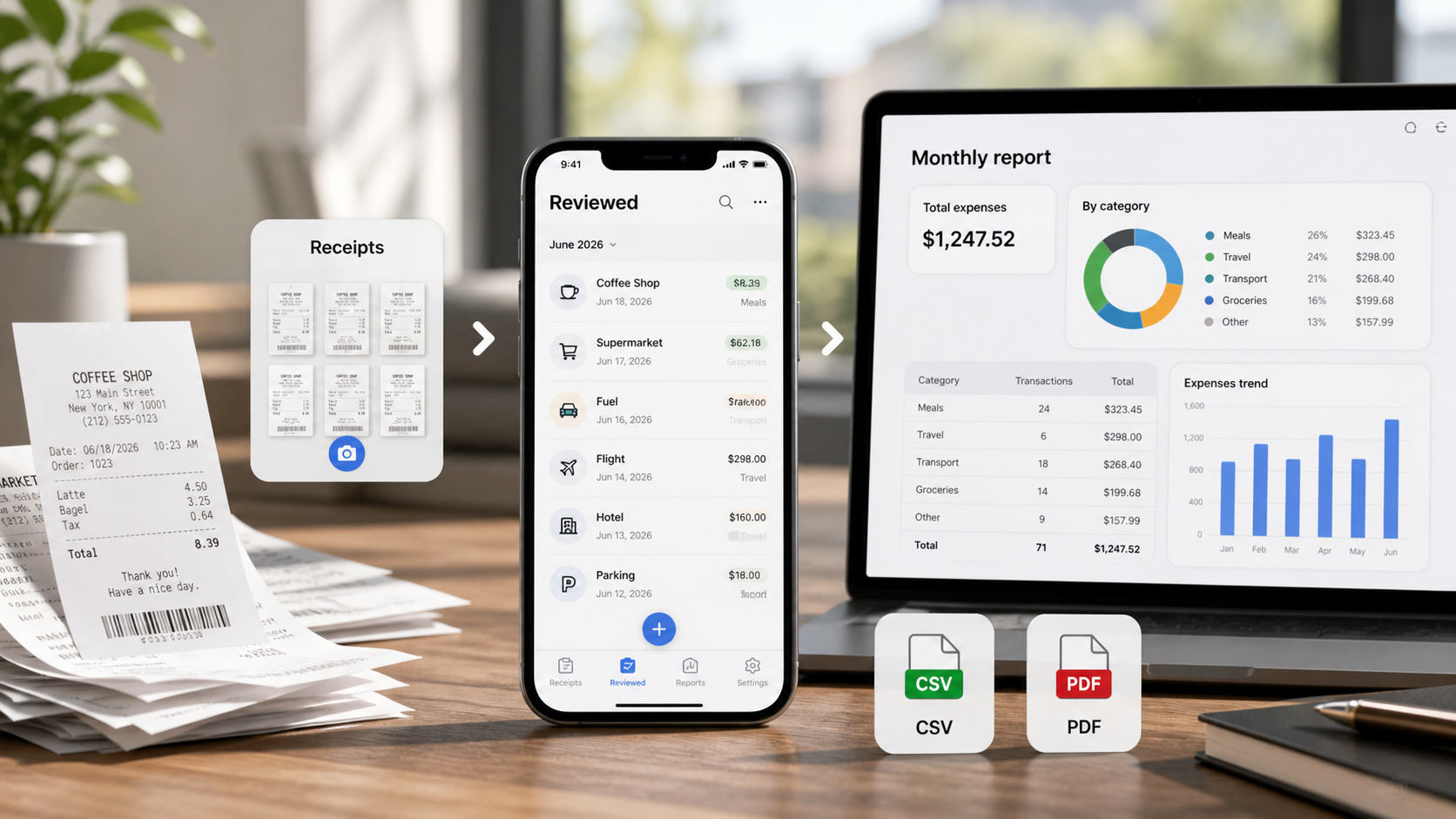
Collect
Scan receipts as they happen or import them from your camera roll before the end-of-month cleanup becomes a long manual task.
Review
Check merchant, date, total, tax, category, payment method, notes, and original image while the business context is still clear.
Export
Create a CSV for spreadsheet cleanup or a PDF packet for a readable monthly expense report handoff.
Monthly receipt report checklist
- Put receipts into one month-based workflow instead of leaving them scattered in Photos, email, and paper folders.
- Review totals and dates before exporting so bookkeeping cleanup does not become a guessing exercise.
- Add categories and short notes for expenses that will be hard to remember later.
- Keep original receipt images attached to the record for later review.
- Export CSV or PDF reports when you are ready to send records to a bookkeeper, client, or internal folder.
Built for organization, not advice
Expense Lens is designed to help prepare cleaner records. It does not decide what is deductible, reimbursable, compliant, or acceptable to any tax authority, employer, client, or auditor.
- No account required.
- On-device OCR for receipt scanning.
- No advertising SDKs or third-party analytics.
- Export-focused workflow for CSV and PDF reports.
FAQ
Can Expense Lens create a monthly expense report from receipts?
Expense Lens helps organize receipt photos, reviewed fields, categories, notes, CSV exports, and PDF reports. You choose the records and export the report for your own bookkeeping workflow.
Does Expense Lens provide tax or accounting advice?
No. Expense Lens is a receipt organization and export tool. It does not provide tax, accounting, legal, reimbursement, audit, or financial advice.
Related pages
Receipt scanner for CSV and PDF bookkeeping reports